


The Cozy Florist
4.71.59K Reviews
App Specs
- Version
- 1.0.72
- Updated On
- License
- Free
- Downloads
- 1,000,000+
- Developer
- Riftsky Games
- Categories
- Simulation
- Platform
- Android
Screenshots
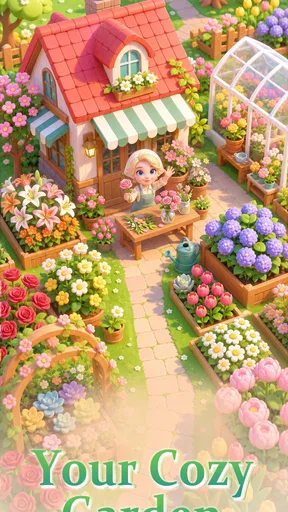
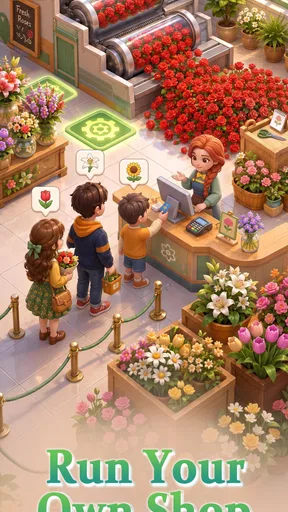
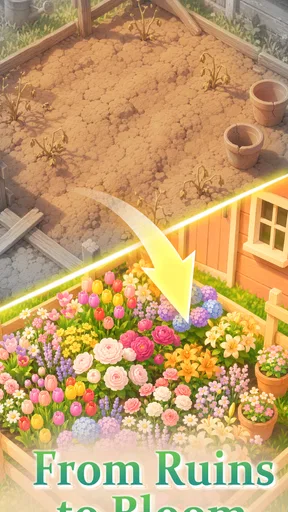
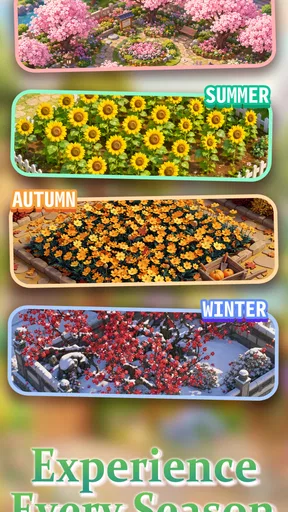

 Analysis by AppCompare
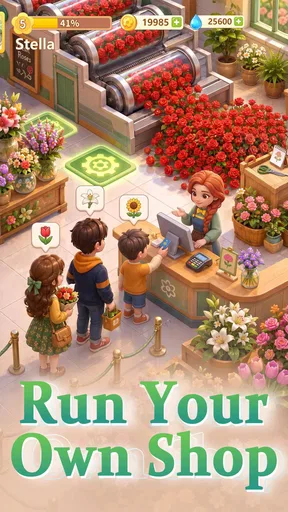
I tend to enjoy flower arranging most when there is no pressure to make something perfect, and that is the feeling I look for in a casual gardening simulation. The Cozy Florist is built around that gentle appeal: you shape bouquets, respond to shop requests, and gradually make a florist’s workspace your own. It suits a short break better than a demanding game session, though its relaxed pace will not be for everyone.
A simple routine that makes sense
The basic loop is easy to understand: enter the shop, see what needs doing, choose flowers and a vase, then arrange the stems to suit the task. That clarity is a strength. I can imagine opening it while waiting for a kettle to boil, making one arrangement, and putting the phone away without needing to remember a complicated chain of actions. The tutorial introduces the essentials rather than burying them under a long list of rules.
For a more satisfying session, I would treat each request as a small design brief instead of rushing to place the first available flowers. Check what the customer wants, then choose a vase and decorative details that support that idea. Even when the game is forgiving, this habit makes the creative part feel intentional. It also gives you a reason to try combinations you might otherwise overlook.
A realistic use case is an evening reset after work: spend a few minutes fulfilling a request, then keep playing only if the next task still feels relaxing. That stopping point matters. Cozy games can become less cozy when you turn every reward into an obligation, so I would not chase every challenge on a tired day. The best rhythm is the one that leaves the game feeling like a treat rather than another item on a checklist.
What to check before settling in
The controls are approachable, but arranging still asks you to use your hands with some care: flowers can be dragged into a vase and repositioned. On a smaller phone screen, take a moment to place stems deliberately rather than making several quick adjustments. That is not a complicated skill, yet it can make the difference between a calm little design session and fiddling with the same bouquet longer than you intended.
Because this is a game with progression and optional purchases, I would decide early whether I want to play at a leisurely pace or spend on extras. The game is free to download, while in-app purchases range from $0.99 to $99.99 per item. I would treat those purchases as optional, not as a reason to rush. If you are setting up a device for a child, the Everyone age rating is reassuring, but it is still sensible to review purchase settings together before handing over a phone.
It is also worth checking the practical fit before installing: the current version is 1.0.23 and it requires Android 6.0 or later. Riftsky Games made a simulation for players who want a decorative, hands-on activity, not a demanding management challenge. The game has a 4.7 average from around 33 thousand ratings and has passed 500 thousand installs, which suggests that its gentle shop theme has found an audience. Those numbers are useful context, but your own preference for slow, visual play matters more.
Worth Reading Before You Choose

EA SPORTS FC Mobile 26 Is a Bigger Football Game, but It Takes Time

Flipboard Shows What News Apps Must Do Beyond the Feed

Switching to Android Auto Means Rethinking Your Driving Routine

Google Calendar Makes a Crowded Week Easier to Manage

Ludo King Makes the Most of the Minutes Between Plans

Baby Panda World Brings Quick Play to Modern Phones, but Its Game Library Feels Busy
Faster habits without turning it into a chore
Once the basics feel familiar, a repeatable approach can save effort without taking the creativity out of the task. I would read the request first, pick a suitable vase, and then add flowers in a deliberate order, leaving decorative touches until the main shape looks balanced. If a design feels crowded, moving or removing one stem is often a better fix than adding more. This is a general arranging habit, not a special shortcut, and it keeps the interaction focused.
There is a useful trade-off between experimenting and progressing. Trying unusual combinations can make a session more personal, while following the request closely is the sensible choice when you want to complete the task efficiently. I would alternate: satisfy the brief when I want a clear goal, then use a quieter moment to explore different looks. That makes the game’s rewards feel like a bonus rather than the only reason to play.
For players who enjoy routine, it may help to give each visit a small purpose: finish a request, test one flower-and-vase pairing, or work toward a shop improvement. Keeping the goal modest prevents the game from feeling like a long list of chores. It also makes it easier to stop at a natural point, especially if you only have a few minutes to spare.
Where its limits become clear
The Cozy Florist is strongest when you want a peaceful creative pause. If you prefer precise resource planning, complex shop management, or a fast-moving challenge, its simple arranging loop may feel too light. A deeper business simulation would be a better fit for someone who wants to analyze stock and optimize every decision; a freeform art or design app may suit someone who wants to create without customer requests or progression goals.
Its reward structure can also shape how you play. Unlocks and challenges offer direction, but they can pull attention away from the flowers themselves if you focus only on collecting the next item. Seasonal events and limited-time tasks may appeal to players who like changing goals, yet anyone who dislikes time-sensitive activities should treat them as optional rather than feeling obliged to keep up. I find that distinction important: the relaxing part is the arranging, not the pressure to complete everything.
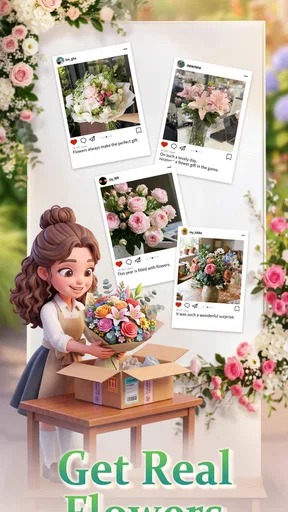
One detail that makes this game unusual among familiar mobile simulations is its promise that players can actually receive flowers. That gives the virtual florist idea a tangible angle, but I would not assume that the game replaces a real-world flower order or that every in-game action leads to a delivery. The digital shop remains the main experience; the possibility of receiving flowers is an extra reason to look closely at the game’s own terms before spending or planning around it.
It is also not the ideal choice if you want a substantial narrative, competitive multiplayer, or a demanding campaign. Its appeal is narrower and more specific: arrange, decorate, respond, and gradually expand. That focus is welcome when you want a quiet activity, but it means players who need frequent mechanical surprises may run out of novelty sooner than players who enjoy revisiting a familiar creative routine.
Before downloading, a common practical question is whether it works on an older Android device. The minimum requirement is Android 6.0, so check the version on your phone rather than assuming every device will run it smoothly. Another question is whether you need to pay to begin: the game is free, with optional in-app purchases. I would start without buying anything and see whether the ordinary pace and available choices are enough for you.
People also wonder whether it is suitable for a quick session or only for long play. The straightforward arrangement loop makes short visits plausible, while unlocking items gives longer sessions a gradual goal. If you want to know whether the flower-receiving element is available in your location or what conditions apply, check the in-game details before counting on it; it is not something I would treat as guaranteed just from the theme.
If you are choosing between this and another cozy game, think about what you want your hands to do. Here, the distinctive pleasure is arranging stems in a vase and answering florist requests. A decorating game may give you more control over a whole room, while a conventional garden simulator may focus more on planting and harvesting. I would choose this one when the bouquet-making itself sounds appealing, not simply because I want any relaxing game.
For families, the Everyone rating makes the tone broadly approachable, but a child may still need help understanding optional purchases. For adults who want a quiet, low-stakes creative outlet, it can fit neatly into a break or a wind-down routine. For someone who gets frustrated by touch placement, limited goals, or waiting to unlock new choices, a non-progress-based drawing or coloring app may be a better match.
My practical advice is to keep the first few visits simple: learn the arrangement controls, notice which requests you enjoy, and avoid treating every event as a deadline. If the game’s pace feels good, build a small habit around it. If you find yourself checking in only to collect rewards, that is a sign to pause and ask whether the actual bouquet-making is still fun for you.
Getting Acquainted with Your Flower Shop
From the moment you launch The Cozy Florist, you're greeted with soothing visuals and calming music that set the tone for a peaceful experience. The game starts with a quick tutorial that guides you through the basics of running your very own flower shop. It's intuitive and easy to follow, so you'll be crafting stunning bouquets in no time.
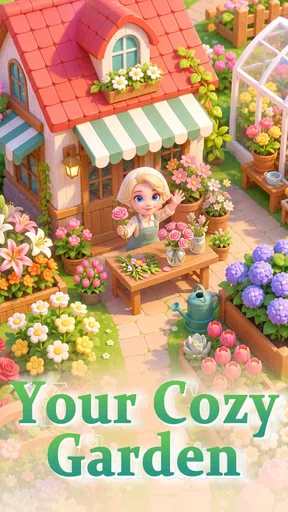
The graphics are simple yet charming, providing a delightful backdrop as you arrange flowers. The interface is user-friendly, ensuring that even the least tech-savvy among us can dive right in without a hitch. Plus, the game is peppered with delightful little animations that bring your shop to life.
Crafting the Perfect Bouquet
One of the highlights of The Cozy Florist is its diverse selection of flowers. From classic roses to exotic orchids, there's no shortage of options to inspire your creativity. The app offers a variety of vases and decorative elements to enhance your arrangements, allowing for endless customization.
The process of arranging is tactile and satisfying. Simply drag and drop flowers into your chosen vase, adjust their positions, and voila! You have a masterpiece. The app also offers challenges and customer requests, adding a layer of strategy as you strive to meet specific needs and preferences.
Unlocking New Possibilities
As you progress, you'll earn coins and rewards that can be used to unlock new flowers, vases, and shop upgrades. This progression system keeps the game engaging as you work towards enhancing your floral empire. It's a delightful incentive to keep playing and experimenting with different styles.
The game also introduces seasonal events and limited-time challenges that offer unique rewards. These events are a fantastic way to keep things fresh and exciting, ensuring that there's always something new to discover.
Why You'll Love This App
What makes The Cozy Florist stand out is its ability to transport you to a world of tranquility and creativity. Whether you're a seasoned gamer or someone who rarely picks up a game, this app offers a delightful escape from the hustle and bustle of everyday life.
It's perfect for those moments when you need a little break, a dash of creativity, or simply a way to unwind. The gentle pace and endless possibilities make it easy to lose track of time as you craft and customize to your heart's content.
Wrapping Up
In conclusion, The Cozy Florist is more than just a game; it's a soothing experience that nurtures your creative spirit. With its charming graphics, intuitive gameplay, and endless customization options, it offers a delightful retreat into the world of flowers.
If you're looking to add a touch of beauty and relaxation to your day, this app is definitely worth a download. So, grab your virtual clippers and start arranging – your floral adventure awaits!
Pros
- Beautifully intuitive user interface.
- Wide variety of floral arrangements.
- Customizable bouquet options.
- Easy scheduling for deliveries.
- Seamless payment integration.
Cons
- Limited international delivery options.
- Occasional app performance lags.
- Higher pricing than competitors.
- Limited customer support hours.
- Requires constant internet connection.
FAQs for The Cozy Florist
What is The Cozy Florist app about?
The Cozy Florist app is a delightful simulation game where players can design and manage their own floral shop. You’ll engage in activities like arranging beautiful bouquets, attending to customers, and expanding your business. The game combines creativity with strategic management, offering an immersive experience for flower enthusiasts.
Is The Cozy Florist available on both Android and iOS?
Yes, The Cozy Florist is available for download on both Android and iOS platforms. You can find it on the Google Play Store for Android devices and the App Store for iOS devices. Ensure your device meets the minimum requirements for a smooth gaming experience.
Are there in-app purchases in The Cozy Florist?
The Cozy Florist offers in-app purchases that allow players to buy coins, special items, and decorative elements to enhance their floral shop. While the game can be enjoyed for free, these purchases can speed up progress and unlock premium content. Players should manage their spending wisely.
Does The Cozy Florist require an internet connection to play?
The Cozy Florist can be played offline, making it perfect for on-the-go gaming. However, certain features, such as updates or in-app purchases, may require an internet connection. Playing online also allows you to connect with friends and participate in special events.
What age group is The Cozy Florist suitable for?
The Cozy Florist is suitable for players of all ages, offering a family-friendly gaming experience. Its intuitive design and engaging gameplay make it accessible to young players, while its strategic elements provide a challenge for older audiences. Always check the app’s rating for any age-related guidelines.


